Learn Java - Random class

The java.util.Random class instance is used to generate a stream of pseudorandom numbers. The class uses a 48-bit seed, which is modified using a linear congruential formula.The algorithms implemented by class Random use a protected utility method that on each invocation can supply up to 32 pseudorandomly generated bits.


Commonly used methods of Random class

There is a list of commonly used Scanner class methods:

MethodDescription
protected int next(int bits)This method generates the next pseudorandom number.
boolean nextBoolean()This method returns the next pseudorandom, uniformly distributed boolean value from this random number generator's sequence.
void nextBytes(byte[] bytes)This method generates random bytes and places them into a user-supplied byte array.
double nextDouble()This method returns the next pseudorandom, uniformly distributed double value between 0.0 and 1.0 from this random number generator's sequence.
float nextFloat()This method returns the next pseudorandom, uniformly distributed float value between 0.0 and 1.0 from this random number generator's sequence.
double nextGaussian()This method returns the next pseudorandom, Gaussian ("normally") distributed double value with mean 0.0 and standard deviation 1.0 from this random number generator's sequence.
int nextInt()This method returns the next pseudorandom, uniformly distributed int value from this random number generator's sequence.
int nextInt(int n)This method returns a pseudorandom, uniformly distributed int value between 0 (inclusive) and the specified value (exclusive), drawn from this random number generator's sequence.
long nextLong()This method returns the next pseudorandom, uniformly distributed long value from this random number generator's sequence.
void setSeed(long seed)This method sets the seed of this random number generator using a single long seed.


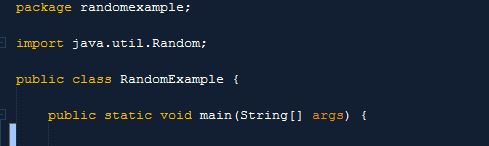
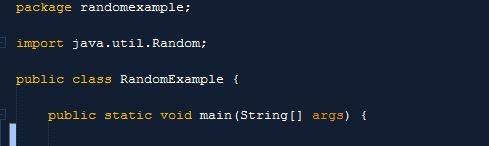
Screen shot


Source code

Comments

Popular posts from this blog

Car Wash System vb.net

This software consists of a database that save the registration number of every vehicle being wash along side with the date, type of wash made and price Screen Shot Source Code To view records in the database: Dim conn As OleDbConnection = New OleDbConnection("Provider=Microsoft.ACE.OLEDB.12.0;Data Source=|DataDirectory|\washRcd.accdb;Persist Security Info=False") Dim sql As String sql = " SELECT * FROM tblwash" conn.Open() Dim dt As New DataTable Dim cmd2 As New OleDb.OleDbDataAdapter(sql, conn) cmd2.Fill(dt) DataGridView1.DataSource = dt DataGridView1.Refresh() conn.Close() To insert new record in the database: Private Sub insert() Dim conn As OleDbConnection = New OleDbConnection("Provider=Microsoft.ACE.OLEDB.12.0;Data Source=|DataDirectory|\washRcd.accdb;Persist Security Info=False") Dim updateSql As String = String.Format(...

C# Windows Form : PetCare

A desktop application using C# as technology. the application is titled as "PETCARE" a system that a pet shop or veterinary can use it to store basic information about the pet's owner, details about the pet and the purpose of the visit to the veterinary or pet shot. The system also contained a stock management module that is used to track pet food purchased by a particular customer Screen Shot You can login both as a staff or as the admin. the admin has the privilege to register new staff and view details about transaction and other sensitive information. The system encrypt user password using MD5 algorithm The home screen of the application You can either add a new pet with its owner details or add another pet belonging to the same owner. both can be done using the same form below. and each pet owner will be given a reference number. Veterinary can use the application to store information about treatment done for a particular pet Can t...

Face recognition using EmguCV 3.0 and typing pattern recognition

Introduction An MSc project with the title Student Examination System, where the objective is to put the students in an examination condition but instead of having an invigilator in an examination center, the system will cater for the proper ongoing of the exam. the system can be used as an online examination system The system is able to: Recognizing the face shape of a particular student Detect if there is more than one person in the examination room  Analyze the typing pattern of a student and detect if any one person is taking part in the exam voice recognition for the student and detect if there is more than one person speaking in the examination room Setup Download Emgu CV from  http://www.emgu.com/wiki/index.php/Main_Page Download Haarcascade from  https://github.com/opencv/opencv/tree/master/data/haarcascades Create an account at  https://www.keytrac.net/ Face recognition The snippet below illustrates how the Emgu CV is loaded whe...